Bottom-Up Beats Big Projects
How Finance Teams Are Quietly Winning With Off-the-Shelf GenAI

We’ve talked a lot over the last few weeks about how many of the big “AI transformation” projects aren’t delivering yet. While we covered ways to ensure those big projects are successful, we shouldn’t consider the nascent-but-booming tech “stalled” in any sense of the word.
While leadership grapples with enterprise-wide transformations, your analysts are already cutting hours out of their workload with ChatGPT, Claude, Gemini, and a handful of cheap Excel add-ins they’ve installed on their own.
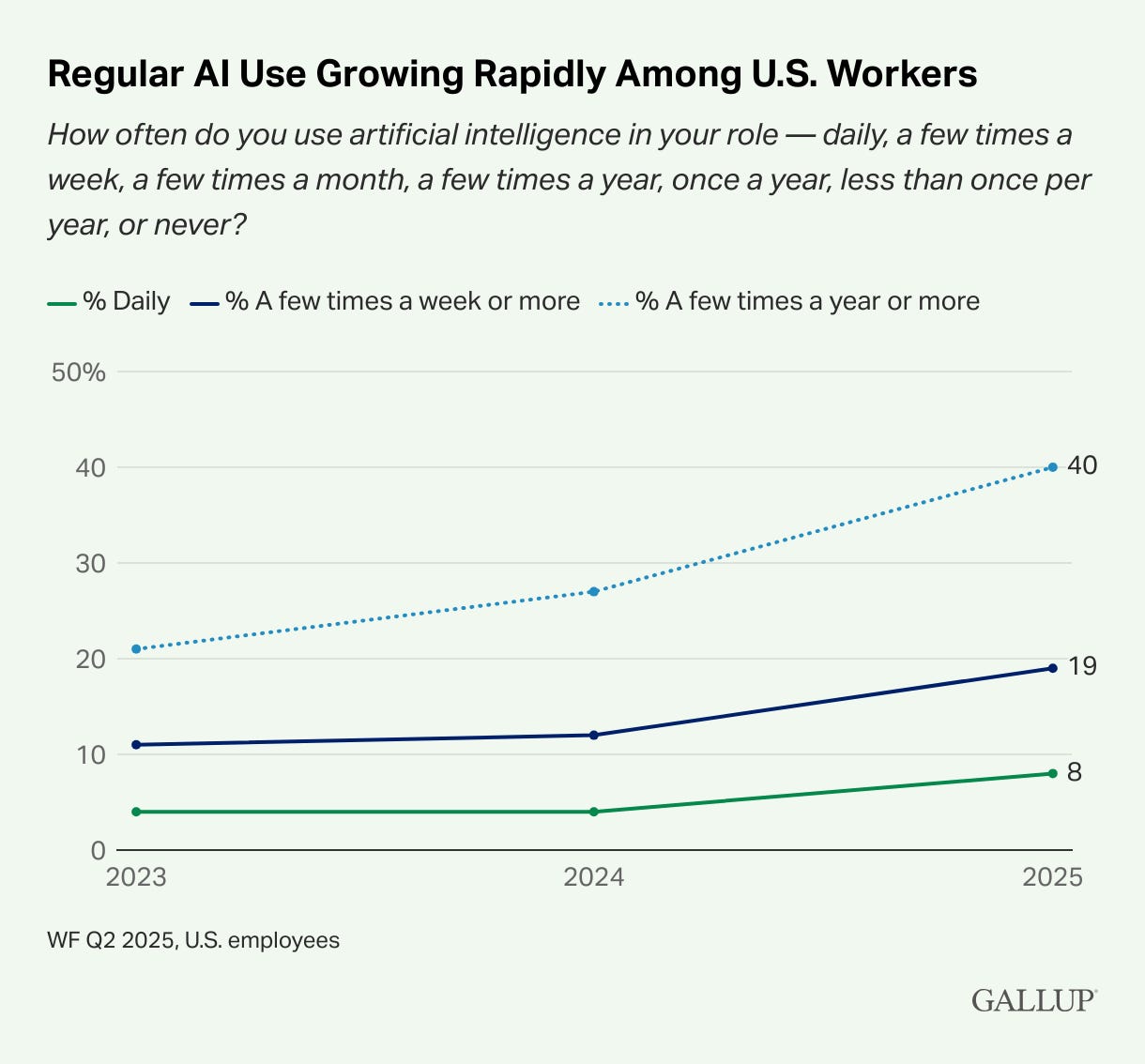
One caveat with survey data on AI usage data is that these are self-reported numbers; and many employees are concealing their usage of the tools for fear their companies will punish them for it. But even with self-reported numbers, it’s clear that employee-level adoption is accelerating … which makes sense
As the old saying goes: "If you want to find the most efficient way to do a job, give it to a lazy person."
The finance teams pulling late nights aren't lazy, but they embody the principle perfectly: those who most value their time will find the quickest path to results.
That’s not lazy; that’s resourceful. When you're knee-deep in spreadsheets at 10 p.m., you become an expert in optimization. These are the people who won't wait for IT's blessing or a company-wide rollout. They're already using AI to reclaim their evenings, one automated task at a time.
The acceleration continues …
In just the last month:
Claude now generates actual Excel files, PowerPoints, and PDFs. Request a budget-to-actual workbook and receive a functional spreadsheet within seconds.
Gemini refines text directly in Google Slides. The tedious process of creating "board-ready" presentations that once consumed entire afternoons now takes five minutes.
ChatGPT (GPT-5) handles messy data with greater sophistication and offers enterprise-grade admin controls, including website blocking for agent browsing.
Grok is emerging as an "always-on researcher" with integrated real-time search capabilities … I guess?
DeepSeek, the Chinese model that briefly outranked ChatGPT on the U.S. App Store, deserves attention - even if your compliance team has already flagged it as off-limits.
The headline isn’t that the models are getting better. That’s expected. The headline is how fast they’re becoming office utilities.
Why bottom-up matters
The Census Bureau just reported a dip in large-company AI adoption. That doesn’t mean employees aren’t using it. It means the top-down rollouts are hitting red tape while the real productivity gains are happening at the desk level. If you want proof, just ask your team who already uses ChatGPT at work. In most finance groups, the majority quietly do.
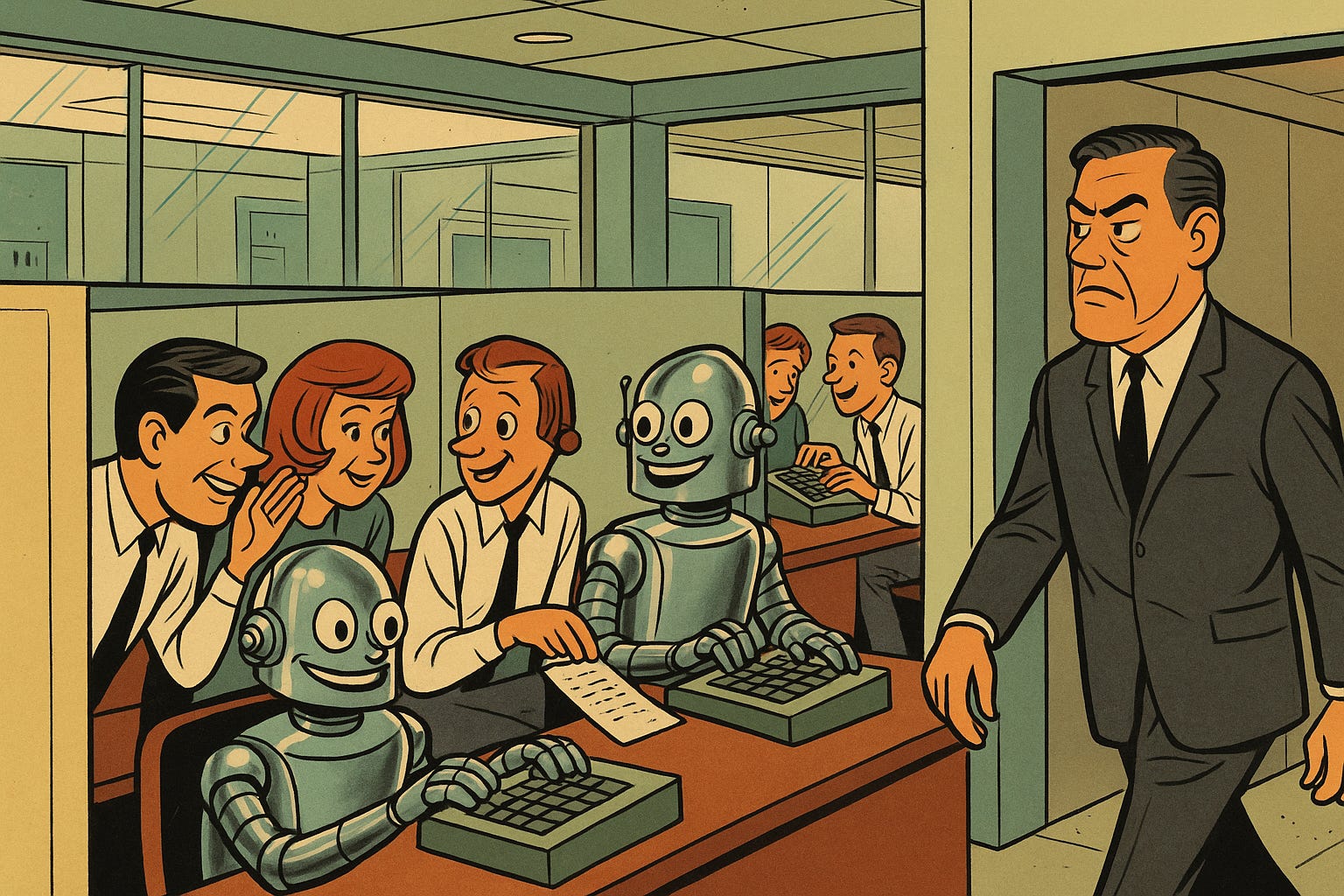
Here’s the part leadership needs to understand: bottom-up adoption doesn’t wait for your policy memo. If you don’t set the boundaries, employees will make their own.
What you can put in people’s hands today
ChatGPT Team or Enterprise for spreadsheet Q&A, draft board slides, and variance commentary. Give them a one-pager on privacy settings and retention.
Claude for actual file creation. Treat it like a junior analyst who can whip up workbooks and decks, but still needs your review.
Gemini for slide cleanup and quick document drafts inside Workspace.
Rosie (askrosie.ai) as an Excel add-in that writes formulas, builds charts, and explains models in plain English.
Shortcut for quick-and-dirty DCFs and sensitivity tables. It’s not perfect, but it’s a faster first draft than any analyst will crank out. (Careful with this one though. Every time you come back to the site, you have to reset your privacy settings to not use your data for model training.)
How to roll it out without a memo the size of a 10-K
Try a coffee-break pilot.
Pick two teams … say FP&A and Accounting.
Give them access to ChatGPT Team and one Excel helper like Rosie.
Run a 30-minute demo. Show a spreadsheet summary, a Claude-generated workbook, and a cleaned-up slide.
Define “green zones” (variance notes, board decks, reconciliations) and “red zones” (sensitive client or payroll data).
Track hours saved and rework rate for two weeks. If it works, expand.
You don’t need a steering committee for that. You just need the will to let your people prove where AI creates leverage.
The big programs will eventually land. In the meantime, the teams closest to the work already know how to get hours back. Give them the tools, set some guardrails, and watch what they do.
Pro edition: includes a 30-day rollout kit: privacy one-pager, FP&A and Accounting prompt pack, Excel add-in setup guide, and a time-saved tracker.
Unlock the full model and templates: